

How do I install a Minecraft server plugin?
26 February 2026
Expand your server’s functionality with plugins. To use a plugin, players do not need to install anything in their Minecraft client.
⚠️ Note: Your server must be running a type that supports plugins. These include Paper, Spigot, or CraftBukkit.
Manually installing a plugin
Plugins can be installed by uploading the .jar file to the plugins folder of your server.
Good places to find and download plugins are Paper Hangar and Spigot Resources.
Go to your server in the control panel and click on Files.
Open the
pluginsfolder by clicking on it.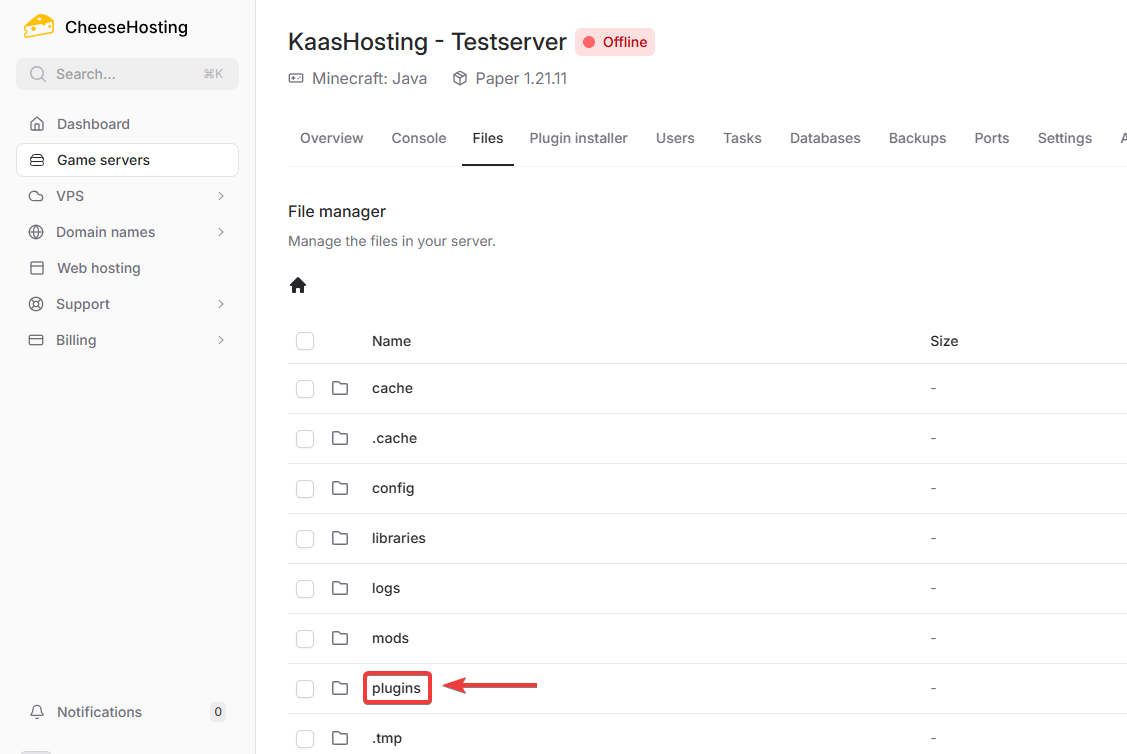
Click the Upload button.
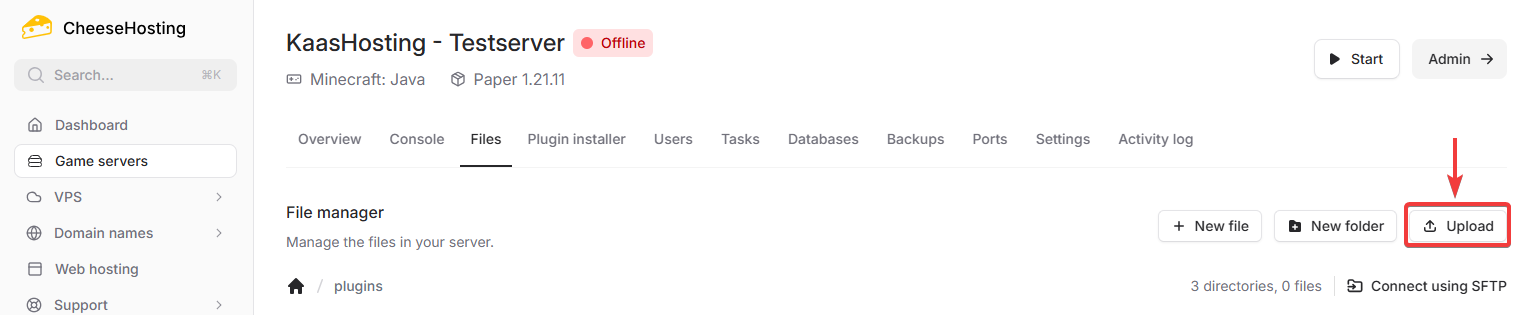
Select the
.jarplugin file and upload it.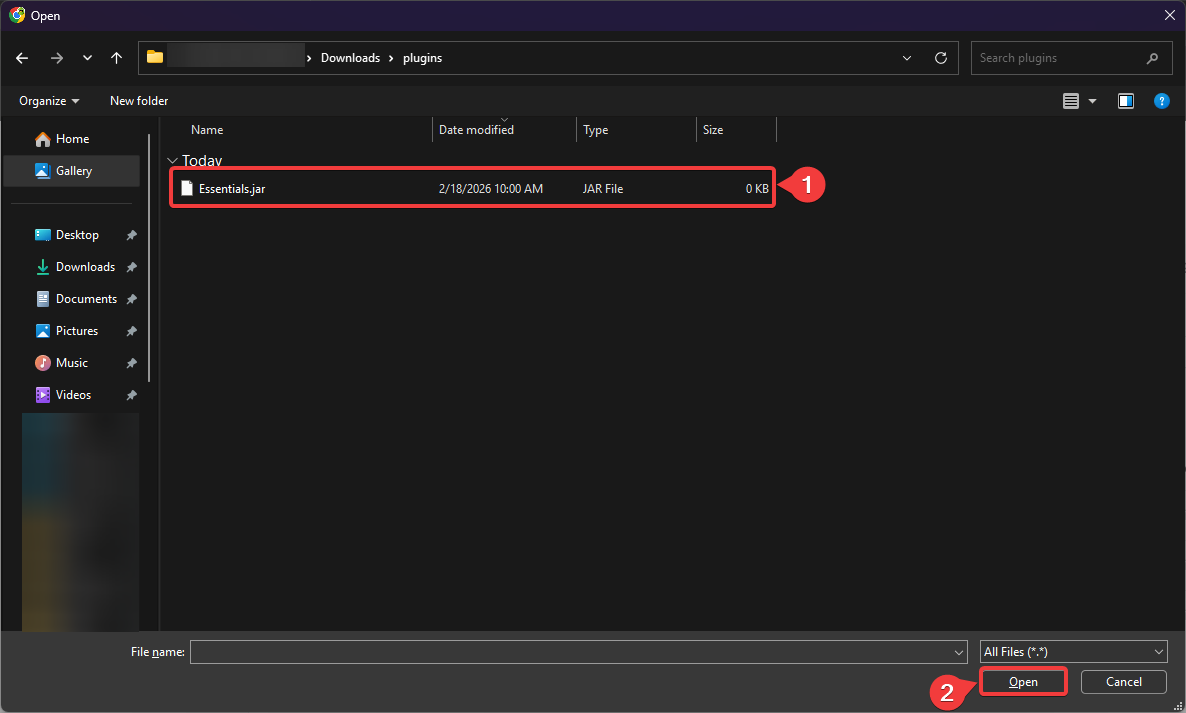
Restart your server.
Installing a plugin with the CheeseHosting plugin installer
CheeseHosting has an integration with Spigot Resources that allows you to easily install many popular plugins with one click.
Go to your server in the control panel and click on Plugin installer.

Use the search bar to find a plugin.
Click Install next to the plugin you want to install.
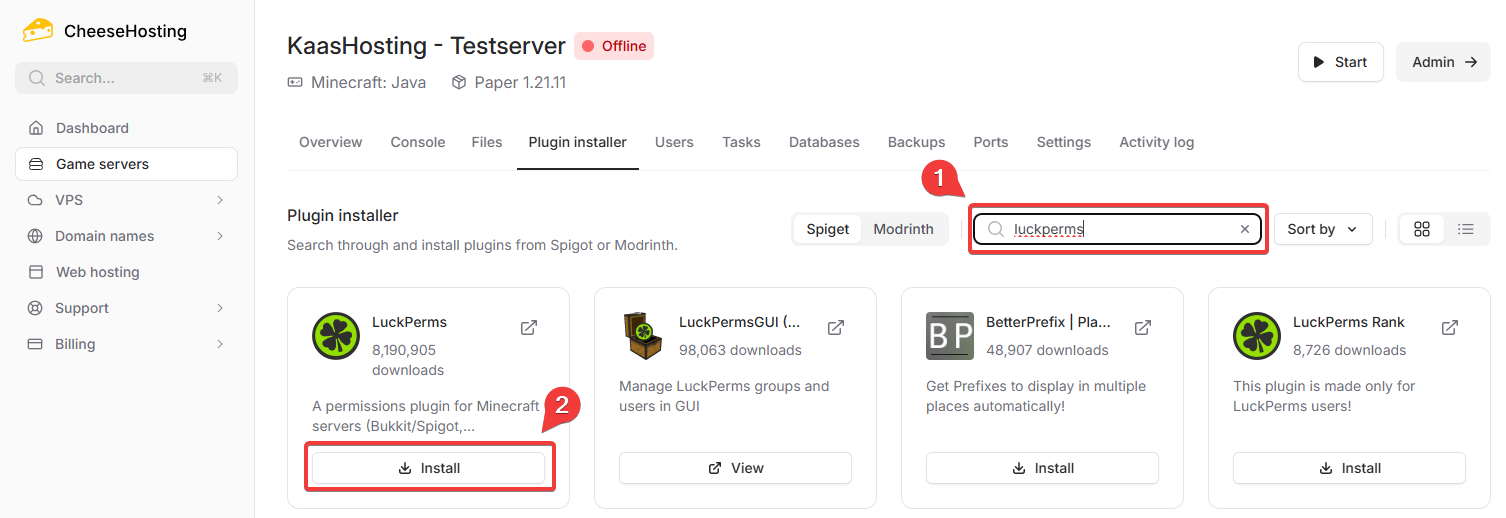
Restart your server to activate the plugin.