

How do I create a Minecraft server?
25 February 2026
After purchasing your Minecraft server subscription, you can create a server in our panel.
💡 Tip: Within your subscription, you can create unlimited servers. For example, if you purchased a 4 GB package, this means you can create one 4 GB server or four 1 GB servers.
Creating your own Minecraft server
Go to the server list in the control panel.
Click Create Server in the top right corner.

Enter a name for your server and choose how much RAM in MB (Memory) you want to allocate to it. At the top, you can see how many MB of RAM you have left within your subscription.
Choose the platform of server you want to create.
Select the server type and the version of the previously chosen platform that you want to use.
Click Create Server to set up the server.
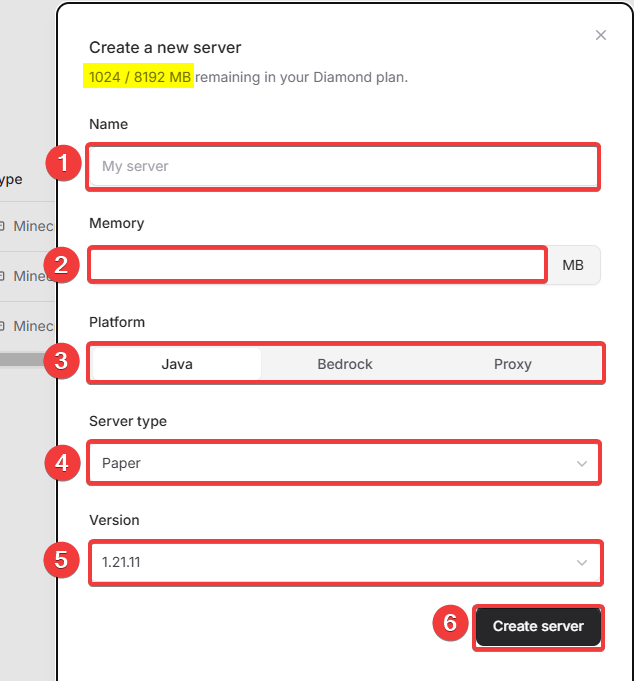
Done! Your server has now been created and will be installed immediately.
Would you also like to know how to join your Minecraft server? Check out our other tutorial on how to join your Minecraft server.